Best Benchtop CNC Routers for Small Shops in 2026
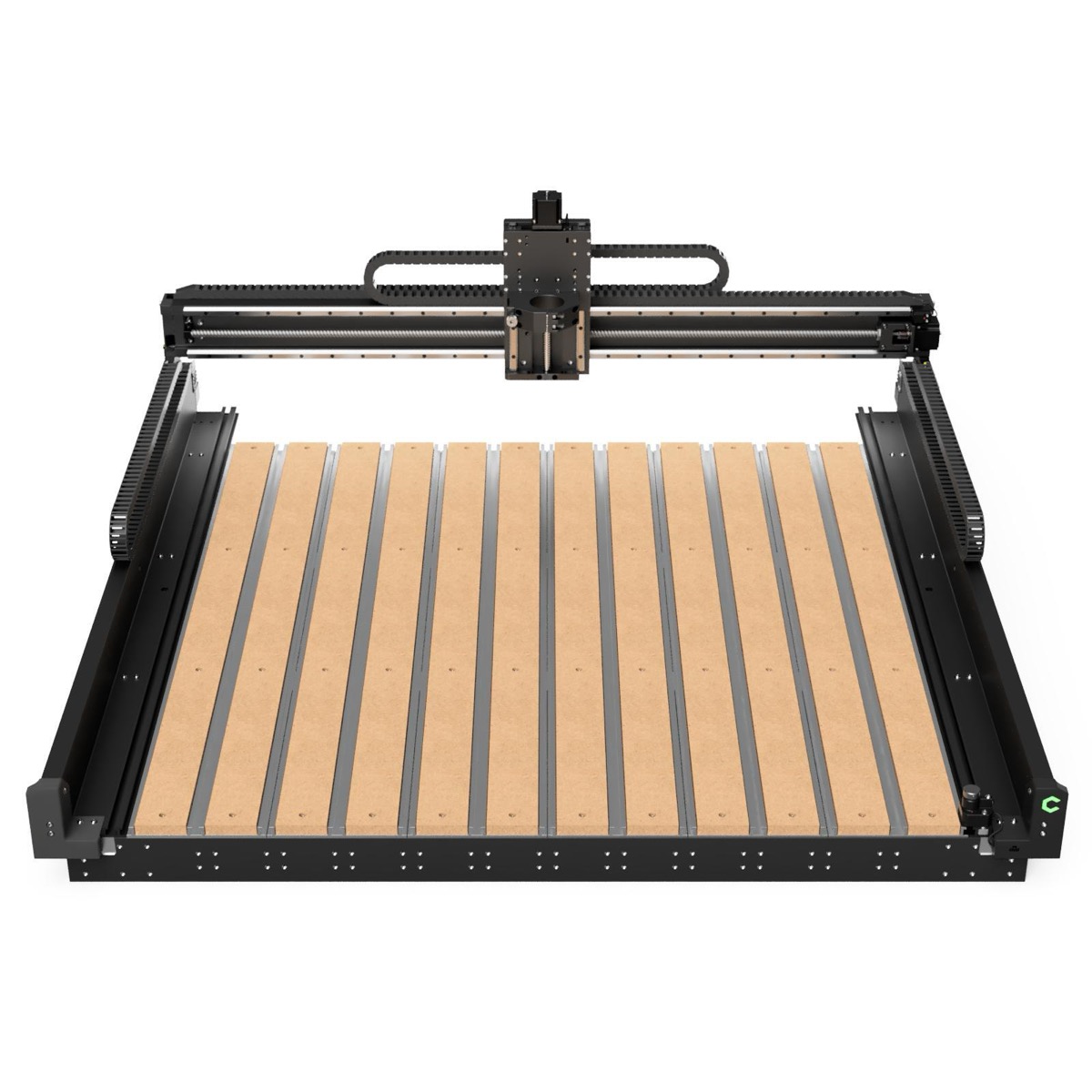
Most benchtop CNC routers under $5,000 share the same failure modes. The gantry flexes under cutting loads, producing chatter and dimensional inaccuracy. The trim router spindle screams at 80+ dB and drifts in runout after a few hundred hours. The software ecosystem locks operators into a single vendor’s workflow or demands a steep learning curve just to cut a simple pocket. And dust management—rarely addressed in marketing materials—turns the shop into a respiratory hazard within minutes of cutting MDF or plywood. Understanding which specifications actually predict long-term satisfaction separates a productive machine from one that collects dust itself.
What Separates a Good CNC Router from a Frustrating One
Five specifications matter more than marketing copy suggests.
Work area determines what fits on the table. A 16x16-inch machine handles small signs and prototypes. A 33x33-inch machine handles cabinet parts and full-size sign blanks. Larger is not always better—a bigger machine amplifies rigidity problems if the frame cannot support the span.
Gantry rigidity is the single biggest differentiator. Aluminum extrusion frames (V-slot or C-beam) are lightweight and affordable but flex under lateral cutting forces, especially in harder materials. Steel tube or plate gantries cost more and weigh more but hold tolerances that aluminum extrusion machines cannot match under load. According to manufacturer specifications, steel-frame benchtop machines typically weigh 150-250 lbs compared to 60-100 lbs for aluminum extrusion designs—that mass is doing real work damping vibration.
Motion system affects accuracy, speed, and maintenance. Belt-driven systems (GT2 or GT3 belts) are the cheapest option but stretch over time and limit positional accuracy to roughly ±0.005 inches. Lead screws improve accuracy but can suffer from backlash. Ball screws represent the current standard for serious benchtop machines, offering ±0.001-inch repeatability with minimal backlash and long service life.
Spindle type determines noise, precision, and tool options. This decision is important enough to warrant its own section below.
Controller and software ecosystem dictates daily workflow. Some machines ship with proprietary software that simplifies setup but limits advanced operations. Others run on GRBL or Mach4 and accept standard G-code from any CAM package. The right answer depends on operator experience and whether the shop already has a CAM workflow established.
Router vs Spindle: The First Decision
The choice between a trim router and a VFD spindle affects noise levels, cut quality, tool life, and long-term operating costs. Per manufacturer data sheets, the differences are substantial.
| Specification | Trim Router (DeWalt DWP611) | VFD Spindle (2.2kW) |
|---|---|---|
| Noise Level | 79-84 dB (hearing protection required) | 55-65 dB (conversational levels) |
| Speed Range | 16,000-27,000 RPM (manual dial) | 6,000-24,000 RPM (software controlled) |
| Runout | 0.001-0.003” (degrades with use) | 0.0005” or better (ER20 collet) |
| Collet System | 1/4” and 1/8” only | ER11 or ER20 (wide range) |
| Typical Cost | $120-$180 | $300-$600 (spindle + VFD) |
| Lifespan | 500-1,000 hours (brushes wear) | 5,000+ hours (brushless) |
A trim router makes sense for operators cutting wood and plastic on a budget, particularly those running the machine fewer than 10 hours per week. The DeWalt DWP611 remains the de facto standard due to widespread mount compatibility.
A VFD spindle makes sense for anyone cutting aluminum, running production work, or operating in a shared space where noise matters. The software-controlled speed allows optimization for different materials and tool diameters—a capability that meaningfully improves surface finish and tool life. Most 2.2kW water-cooled spindles with ER20 collets run $300-$500 and represent one of the highest-value upgrades available for any benchtop CNC platform.
Top Picks Based on Specifications
Carbide 3D Shapeoko 5 Pro — Best Overall
| Spec | Detail |
|---|---|
| Work Area | 33” x 33” (5 Pro 4x4) |
| Motion System | Ball screws on all axes |
| Spindle | Carbide Compact Router (65mm VFD spindle compatible) |
| Frame | Aluminum extrusion with steel reinforcement plates |
| Weight | ~85 lbs |
| Price | $2,200-$2,800 (configuration dependent) |
According to Carbide 3D’s specifications, the Shapeoko 5 Pro moved to ball screws on all axes—a significant upgrade from the belt-driven predecessors. The included Carbide Motion controller and Carbide Create CAD/CAM software provide a zero-to-cutting experience that requires minimal CNC knowledge, while the machine also accepts standard G-code from Fusion 360, Vectric, or any other CAM package. The 65mm spindle mount makes VFD spindle upgrades straightforward. The primary limitation is rigidity: the aluminum extrusion frame handles wood and plastic confidently but shows its limits in aluminum at aggressive feed rates.
Onefinity Woodworker X-50 — Best for Wood and Sign Shops
| Spec | Detail |
|---|---|
| Work Area | 32.5” x 16.5” (Woodworker) |
| Motion System | Ball screws on all axes |
| Spindle | Makita RT0701C compatible (65mm VFD mount available) |
| Frame | Aluminum extrusion with steel linear rail mounts |
| Weight | ~75 lbs |
| Price | $2,000-$2,500 (configuration dependent) |
Per Onefinity’s product documentation, the Woodworker X-50 uses ball screws paired with linear rails rather than V-wheels—a design choice that improves long-term accuracy since V-wheels wear and require periodic adjustment. The controller runs on a Buildbotics-derived platform with a touchscreen interface and built-in Wi-Fi. The machine excels in sign shops and woodworking applications where the 32.5x16.5-inch work area accommodates common stock sizes. Operators needing a larger footprint can step up to the Journeyman (48x32 inches) on the same platform. The Onefinity ecosystem is more open than some competitors, accepting G-code from most CAM software without friction.
Avid CNC Benchtop Pro — Best Rigidity
| Spec | Detail |
|---|---|
| Work Area | 24” x 48” (standard configuration) |
| Motion System | Ball screws, NEMA 34 stepper motors |
| Spindle | 65mm or 80mm spindle mount (VFD spindle recommended) |
| Frame | Welded steel tube construction |
| Weight | ~200 lbs |
| Price | $3,500-$4,500 (configuration dependent) |
According to Avid CNC’s specifications, the Benchtop Pro uses welded steel tube construction with linear rails on all axes—a design philosophy closer to industrial CNC routers than hobby machines. The NEMA 34 stepper motors provide significantly more torque than the NEMA 23 motors found on most competitors, enabling faster rapids and more aggressive cuts without stalling. This machine handles aluminum reliably and can even manage light brass and copper work. The tradeoff is price, weight, and complexity: at 200+ lbs, it requires a substantial bench, and the machine ships without software—operators need their own CAM workflow and a Mach4 license. This is the right machine for shops that have outgrown hobby-class routers but cannot justify a full-size industrial CNC. For shops considering a step up to actual CNC mills for metal cutting, the Avid represents the upper boundary of what a router platform can deliver.
xTool S1 — Best Laser and CNC Combo
| Spec | Detail |
|---|---|
| Work Area | 23.6” x 15” |
| Motion System | Linear rails with lead screws |
| Spindle | Interchangeable: 40W diode laser / CNC spindle module |
| Frame | Enclosed steel and aluminum construction |
| Weight | ~55 lbs |
| Price | $1,200-$1,800 (configuration dependent) |
Per xTool’s product specifications, the S1 addresses a specific niche: shops that need both laser engraving/cutting and light CNC routing but lack space or budget for separate machines. The enclosed design provides Class 1 laser safety and contains CNC chips and dust better than open-frame competitors. The CNC module handles wood, acrylic, and soft materials adequately for sign-making and craft production. The limitation is clear—this is a laser-first platform with CNC as a secondary capability. The spindle power and rigidity do not match dedicated CNC routers in this price range. Shops primarily interested in laser engraving with occasional CNC work will find the combination valuable. Shops primarily doing CNC work should look elsewhere.
Inventables X-Carve — Best for Beginners
| Spec | Detail |
|---|---|
| Work Area | 29.5” x 29.5” |
| Motion System | Belt-driven with V-wheels |
| Spindle | DeWalt DWP611 trim router |
| Frame | Aluminum extrusion (makerslide) |
| Weight | ~65 lbs |
| Price | $1,500-$2,000 (configuration dependent) |
According to Inventables’ product documentation, the X-Carve positions itself as the lowest-barrier entry point to CNC routing. The Easel software runs entirely in-browser—no installation, no CAM learning curve, no G-code knowledge required for basic operations. This matters for sign shops, makerspaces, and small businesses where the operator may not have CNC experience. The tradeoff is mechanical: belt drive and V-wheels limit long-term accuracy and maximum feed rates compared to ball screw machines. The X-Carve is a capable starter machine for wood and plastic, but operators who outgrow it typically move to a Shapeoko or Onefinity rather than upgrading the X-Carve platform. Shops exploring desktop CNC mills for metal work should understand that the X-Carve is not designed for that application.
Who This Is NOT For
Metal cutting beyond occasional aluminum. Benchtop CNC routers—even rigid ones like the Avid Benchtop Pro—are not CNC mills. They lack the spindle power, rigidity, and flood coolant systems required for steel, stainless, or titanium. Shops needing to cut ferrous metals should evaluate CNC mills designed for that purpose.
Production volume exceeding 20-30 hours per week. Benchtop machines are not built for continuous industrial duty cycles. The stepper motors, spindle bearings, and motion components in this price range have service lives measured in thousands of hours, not tens of thousands. Shops running production shifts need industrial CNC routers with servo motors, automatic tool changers, and proper way covers.
Anyone without dust collection. CNC routing generates fine dust at volumes that overwhelm any shop without dedicated extraction. MDF dust is a particular respiratory hazard. Budget $300-$800 for a proper dust collection setup—a shop vacuum is insufficient for anything beyond occasional use. This is not optional; it is a prerequisite.
Operators expecting sub-thousandth accuracy on every part. Even ball screw machines in this class have practical repeatability limits around ±0.001-0.003 inches, and real-world accuracy depends on workholding, material consistency, tool deflection, and thermal effects. Parts requiring tighter tolerances belong on a CNC mill, not a router.
Frequently Asked Questions
Can a CNC router cut metal?
A benchtop CNC router can cut aluminum with proper feeds, speeds, and tooling, but it is not designed for steel or other ferrous metals. According to manufacturer specifications, even rigid steel-frame routers like the Avid Benchtop Pro are limited to aluminum and light brass — they lack the spindle power, rigidity, and flood coolant systems required for steel. Shops needing to cut ferrous metals should evaluate a dedicated CNC mill.
What is the difference between a CNC router and a CNC mill?
A CNC router uses a high-speed spindle (6,000-30,000 RPM) designed for wood, plastic, and aluminum, with a lightweight gantry that moves over a flat table. A CNC mill uses a lower-speed, higher-torque spindle with a rigid column and heavy cast-iron construction designed for steel and other hard metals. Per manufacturer documentation, routers excel at large-area work in soft materials, while mills excel at precision work in hard materials.
Do I need a spindle or can I use a trim router on a CNC?
A trim router (such as the DeWalt DWP611) works well for cutting wood and plastic on a budget and is the default option on several machines in this guide. However, according to manufacturer specifications, a VFD spindle offers significant advantages: software-controlled speed (6,000-24,000 RPM vs. manual dial), lower noise (55-65 dB vs. 79-84 dB), better runout (0.0005 inches vs. 0.001-0.003 inches), and substantially longer lifespan. For shops cutting aluminum or running production work, a spindle upgrade is one of the highest-value improvements available.
What You’ll Also Need
Buyers of benchtop CNC routers typically need the following accessories to get started. Per manufacturer setup guides, these are not optional for productive use:
- SpeTool Carbide End Mill Set (10-piece, 1/8” shank) ($25-$40): Single-flute and two-flute end mills in various profiles cover the most common wood, plastic, and aluminum routing operations. Check price on Amazon →
- Precise Bits ER20 Collet Set ($60-$100): ER20 collets in 1/8”, 1/4”, and 6mm sizes are required for VFD spindle owners to hold standard router bits and end mills. Check price on Amazon →
- POWERTEC Dust Collection Hose Kit (4-inch) ($30-$50): CNC routing generates fine dust at volumes that overwhelm shop vacuums — a 4-inch dust collection hose connected to a proper dust collector is essential for respiratory safety and machine longevity. Check price on Amazon →
- Woodpeckers CNC Clamp Set (8-piece) ($40-$70): Hold-down clamps secure flat stock to the spoilboard during routing — inadequate clamping is the leading cause of ruined workpieces and broken bits. Check price on Amazon →
Sources
- Carbide 3D Shapeoko 5 Pro specifications — carbide3d.com
- Onefinity CNC Woodworker X-50 product data sheet — onefinitycnc.com
- Avid CNC Benchtop Pro specifications — avidcnc.com
- xTool S1 product specifications — xtool.com
- Inventables X-Carve product documentation — inventables.com
- Manufacturer-published spindle and motion system specifications as cited throughout